What you can do
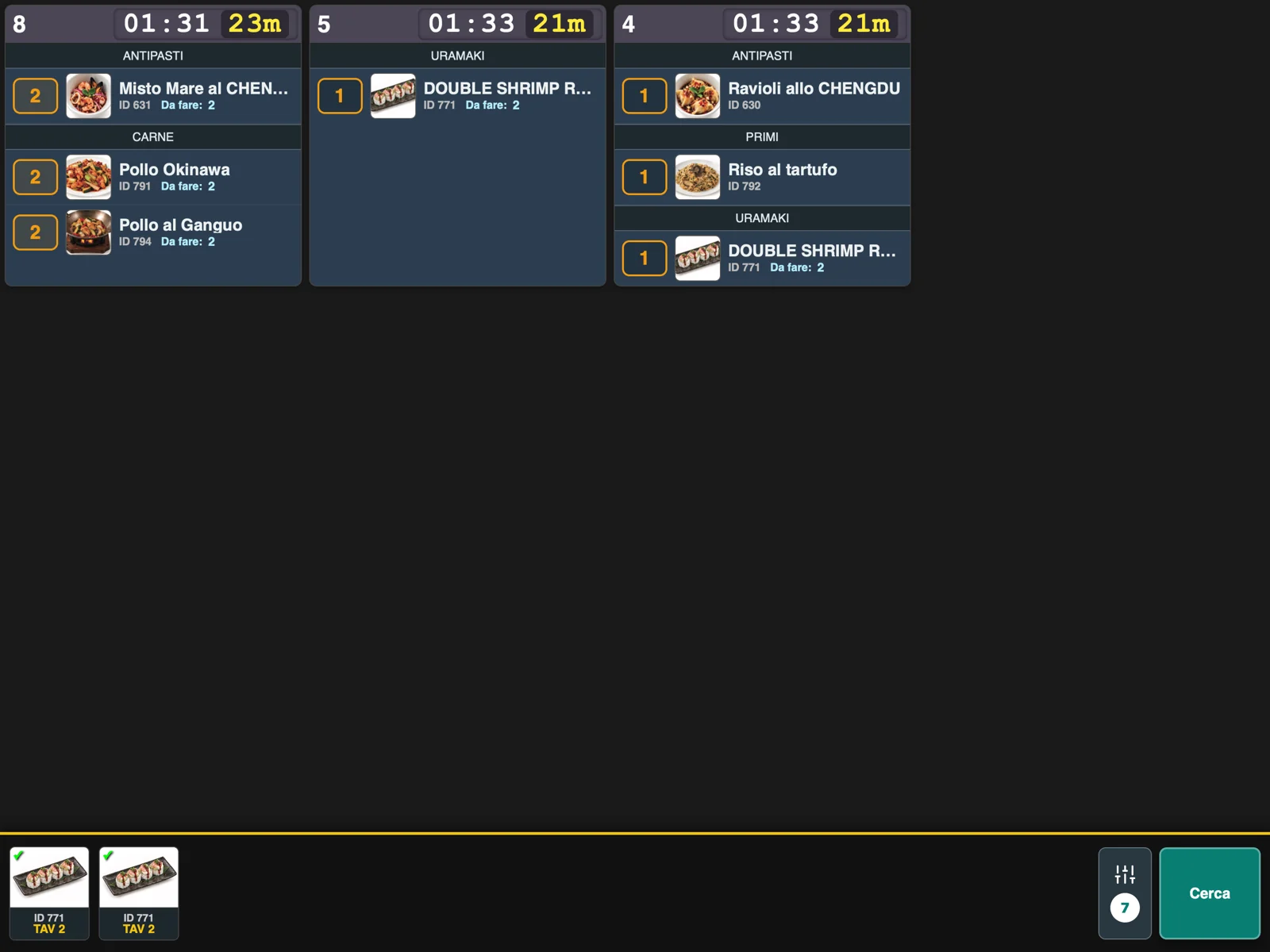
RistoEasy Cucina, in detail. 01 A view for each station Each station can focus on its own categories rather than reading every preparation indiscriminately.
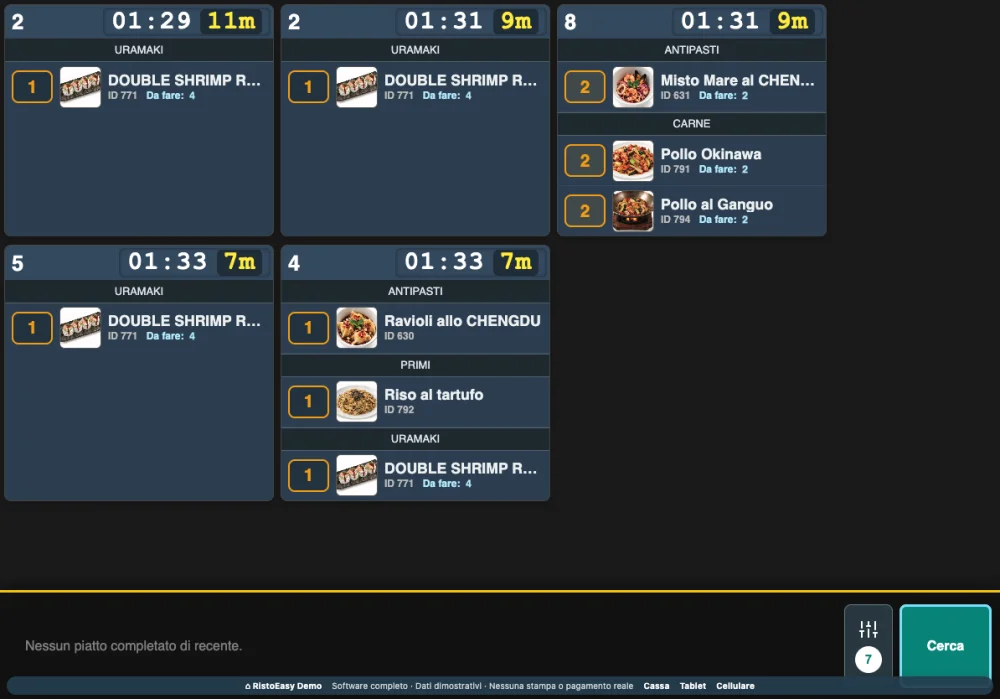
✓ Orders grouped by table.
✓ Dish photos, codes and quantities on the working screen.
✓ Choose which categories to show at each station.
02 Track preparation Quantity progress helps distinguish what still needs preparation from what is complete.
✓ Mark completed preparations, including partial quantities.
✓ Check elapsed time since ordering.
✓ Keep dishes still to prepare visible.
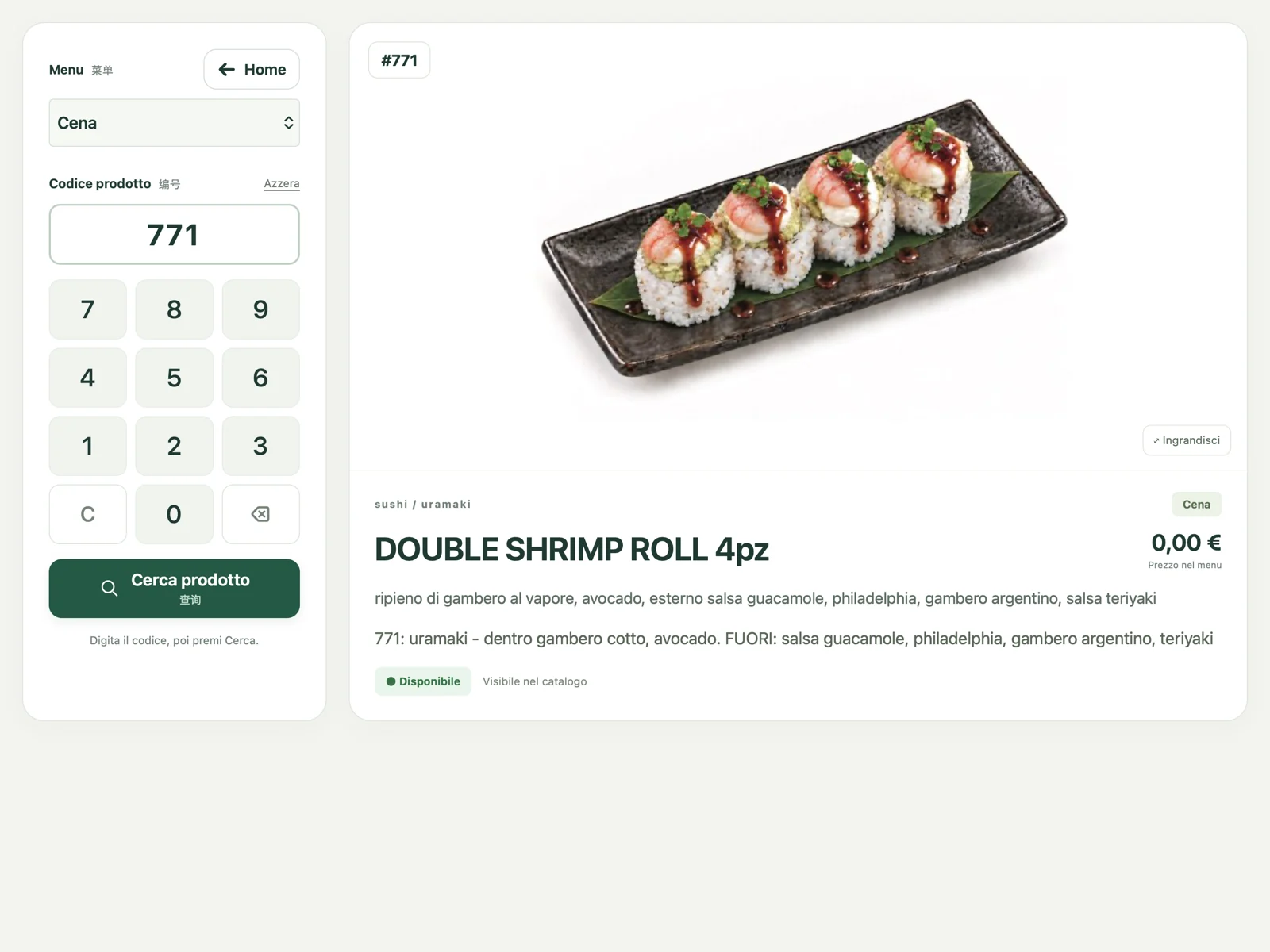
03 Find what you need The display supports the order flow and provides tools to stay organised during service.
Included in RistoEasy Cucina
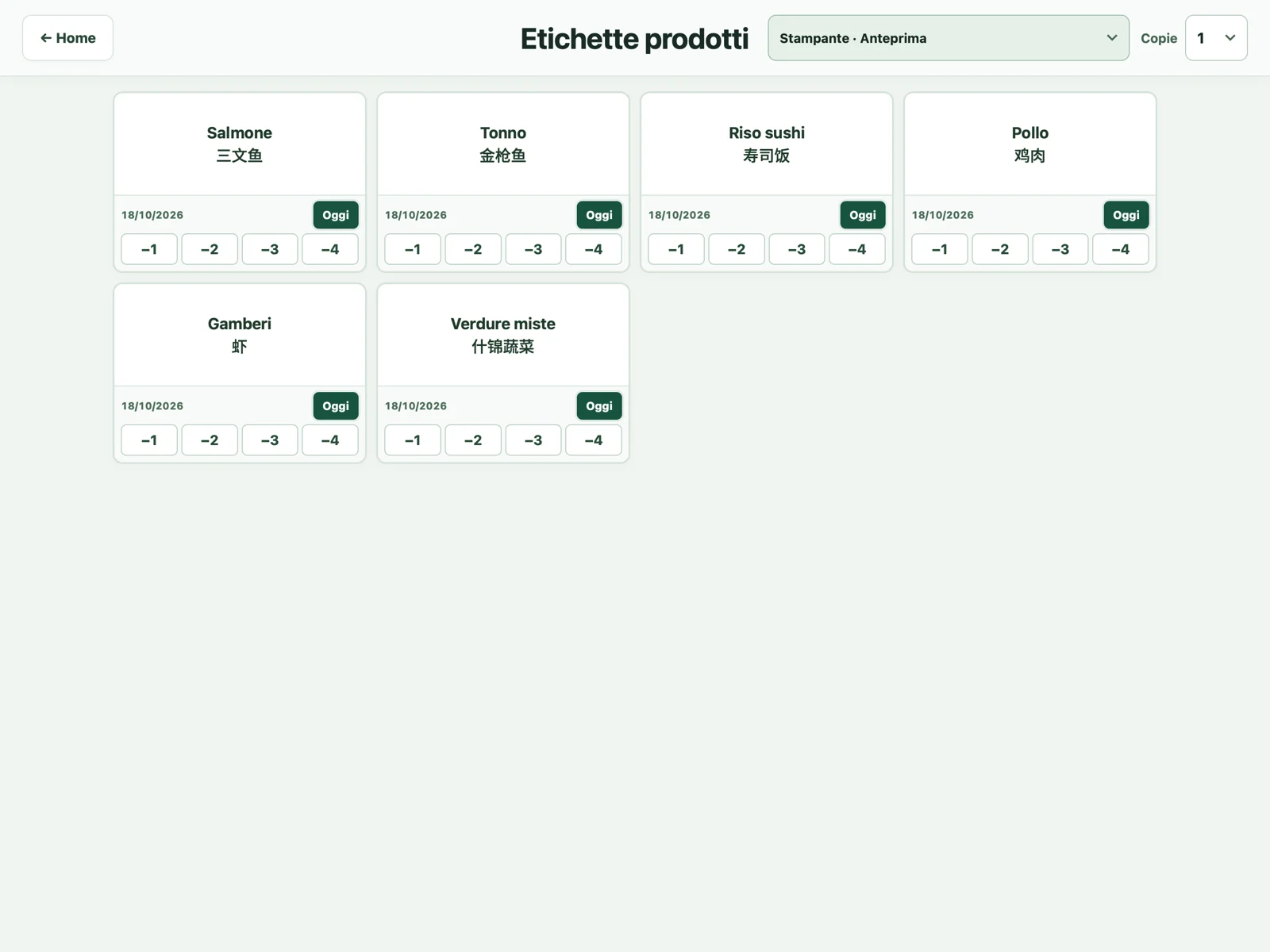
Labels and product search, inside Cucina too. Alongside the kitchen order display, RistoEasy Cucina includes HACCP labels and product search. All in the same app.
RistoEasy Cucina
Inside the product Tap a screen to enlarge it and see the details.
↗ 01 Orders grouped by table.↗ 02 Photos, quantities and station controls.01 Choose the station Set the categories the display should show.
02 Read the orders View tables, photos, quantities and elapsed time.
03 Update progress Mark ready quantities and continue with the remaining preparations.
Frequently asked questions Can I display only certain categories?+ Yes. Category selection adapts the screen to the work of each station.
Must I complete the whole quantity at once?+ The display also handles partial preparations when not all portions are ready.