What you can do
HACCP labels, in detail.
01Start with your products
Select a product or ingredient from the kitchen’s configured list. Menu selection helps find the relevant working group.
- ✓
Configured products and ingredients list.
- ✓
Select the relevant menu.
- ✓
Set the dates required on the label.
02Check before printing
Information and quantities stay on the same screen, with a preview before submission.
- ✓
Choose the number of copies per product.
- ✓
Preview labels to check their data.
- ✓
Print through supported, configured devices.
03A more organised kitchen routine
Labels help organise work, but the restaurant must define storage rules and shelf lives.
- ✓
Dedicated access, separate from guest ordering screens.
- ✓
Products and dates combined in a repeatable procedure.
- ✓
Use according to your business’s HACCP plan and procedures.
HACCP labels
Inside the product
Tap a screen to enlarge it and see the details.
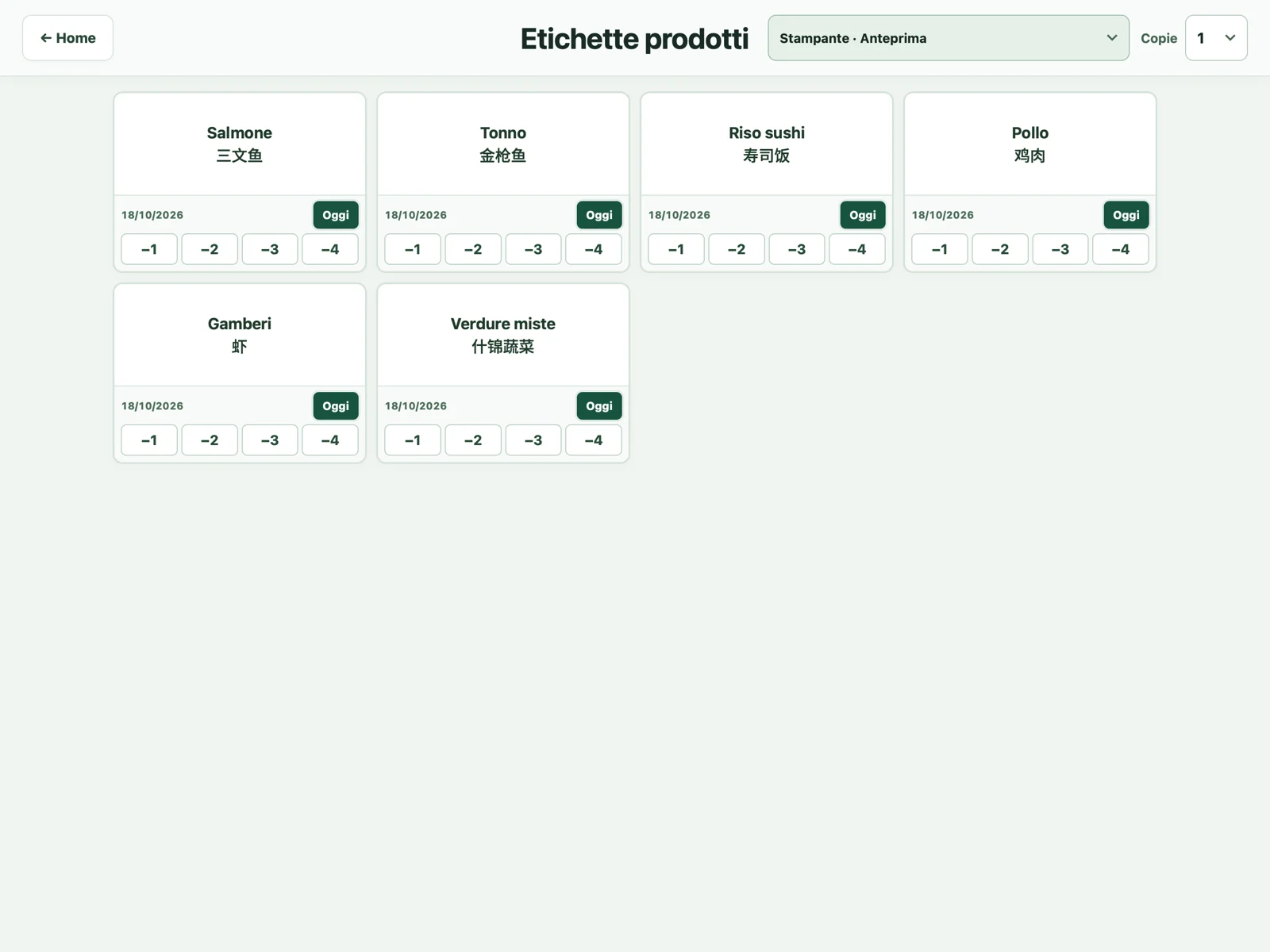 ↗01Products, dates and label quantities.
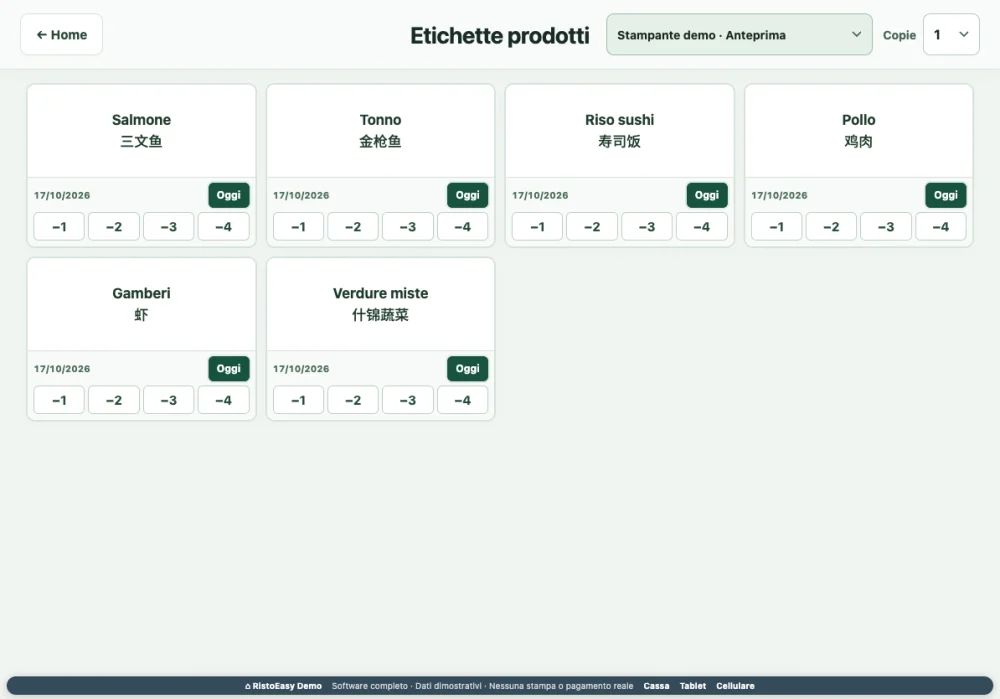 ↗02The label management screen.
- 01
Select products
Find the ingredients and products that need labels.
- 02
Set dates and copies
Check the information required by your procedure.
- 03
Review the preview
Confirm the data and use the configured printer.
Frequently asked questions
Does the software decide shelf lives?+
Information must be configured and checked according to your HACCP plan. The module does not replace shelf-life assessment or restaurant procedures.
Can I use any printer?+
The device, label format and connection method must be checked before setup.