Skip to content
RistoEasy
← Home

POS software for restaurants and bars

RistoEasy POS

Every table. Every bill. One place.

From the dining room to payment, follow your service in one workspace. Manage tables and products, choose how to split bills and keep takeaway orders, messages and connection status in view.

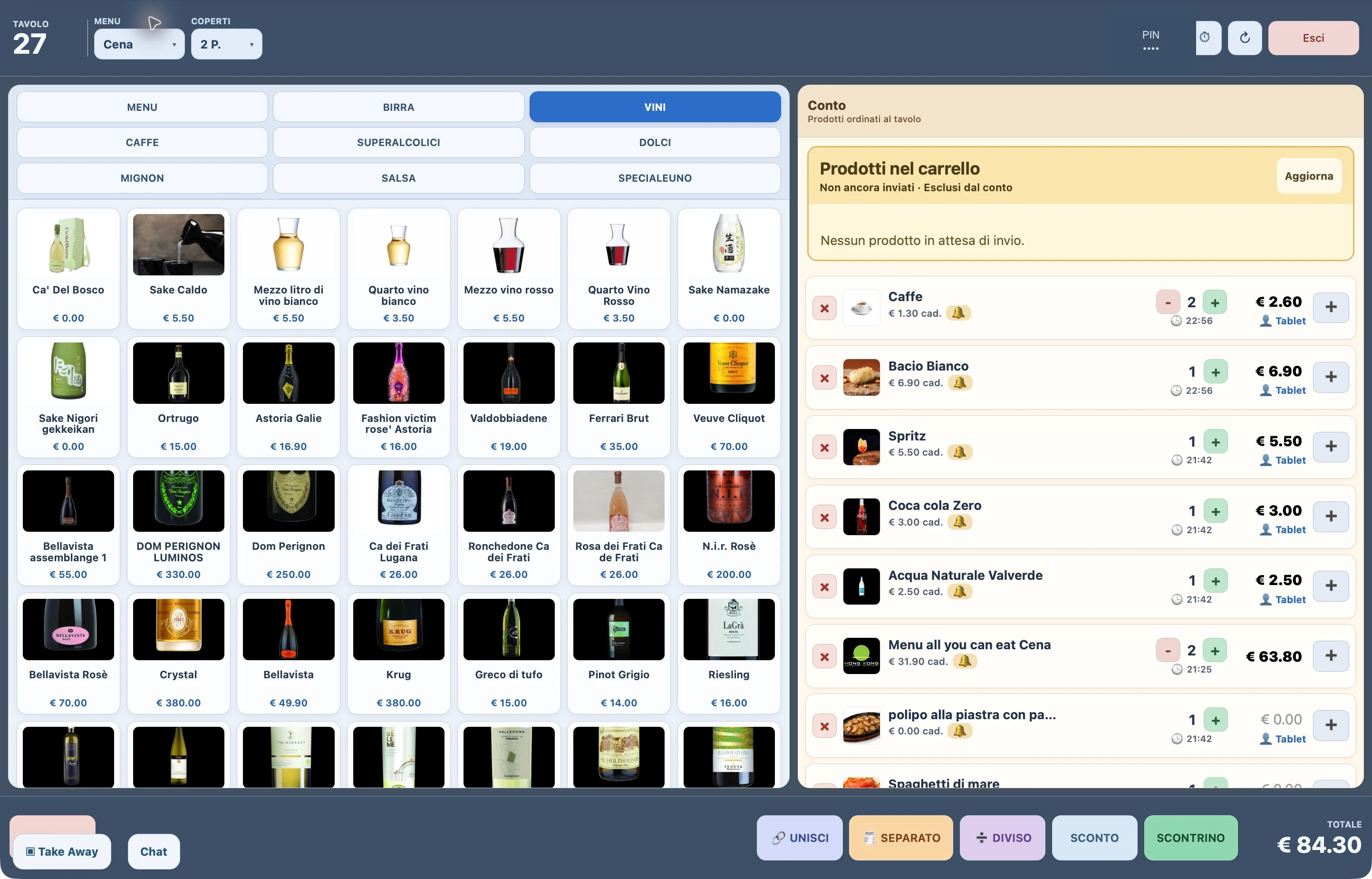
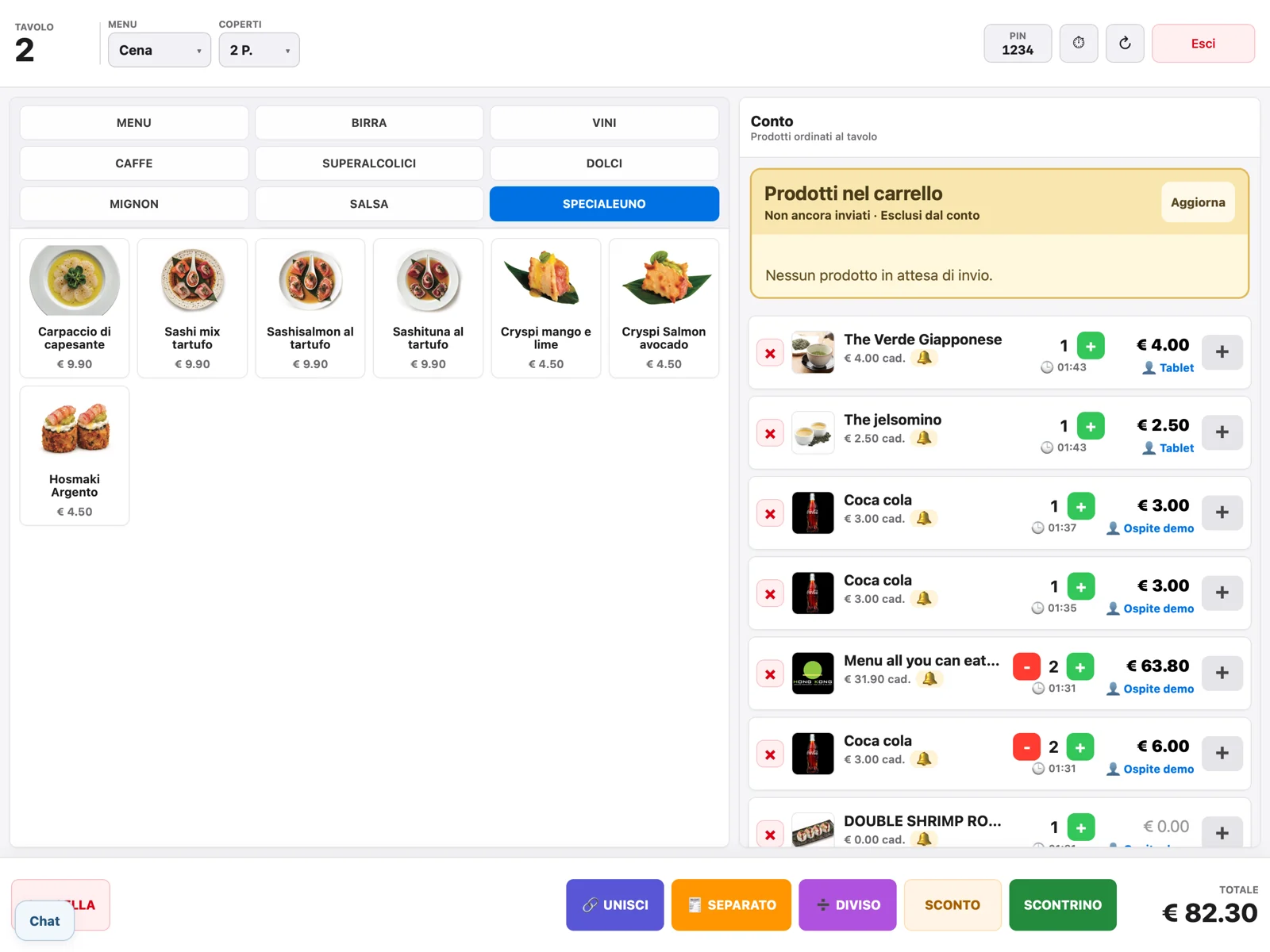
Items and table bill summary, side by side.

What you can do

RistoEasy POS, in detail.

01

Your dining room under control

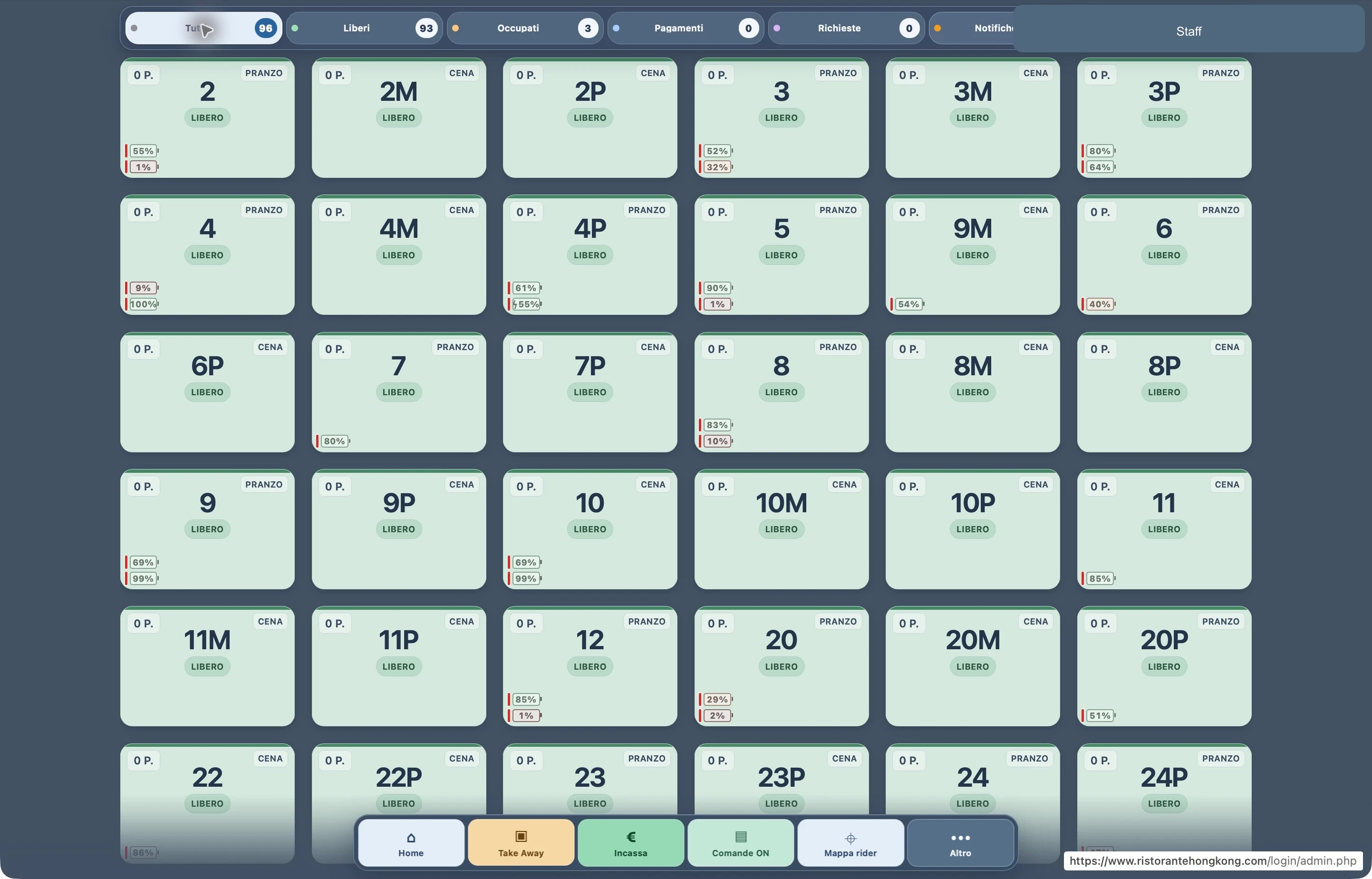
The overview brings tables and their status together. Open a table to see the bill, items already ordered and the cart awaiting submission.

  • Open tables with menu, adults and children according to the restaurant’s settings.

  • Move or merge tables while keeping their orders and carts linked.

  • Check waiter calls, bill requests and connected tablet batteries.

  • Manage takeaway, chat and couriers in the side panel alongside the dining room.

02

The bill the way your guest wants it

A full bill, selected items or equal shares: choose what suits the situation, keeping amounts and shares being paid visible.

  • Split by number of guests and recover the split when you reopen the table.

  • Select items for a separate bill, also with the customer display enabled.

  • Combine payment methods within one payment and manage the remaining balance.

  • Apply discounts, promotions and Ticket Restaurant according to configured rules.

03

From payments to restaurant figures

Connect supported devices and keep a history useful for service checks. Availability depends on the models and services actually installed.

  • Send amounts and handle results with compatible SumUp and Nexi/Ingenico ECR terminals.

  • Accept cash via Cashmatic and record Satispay as a payment method.

  • Issue fiscal receipts and invoices through configured devices and services.

  • Cash fund, guided closing, takings history, guest counts and dish statistics.

PAYMENTS, CONNECTED TO YOUR TILL

From till to POS, without entering the amount twice.

Send the total to the connected device and track the payment result directly at the till. The customer display shows the bill, discounts and where to pay.

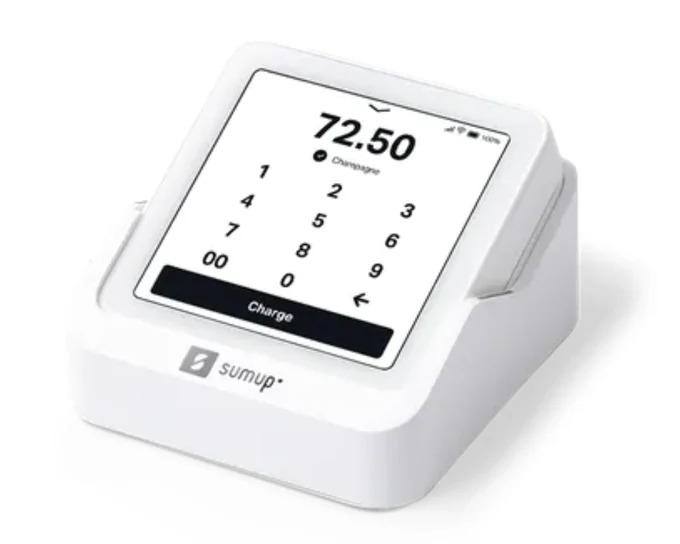
SumUp Solo · A compact POS connected to your till

SumUp Solo

A compact POS connected to your till

Send the amount to the configured Solo and see the payment result on the bill.

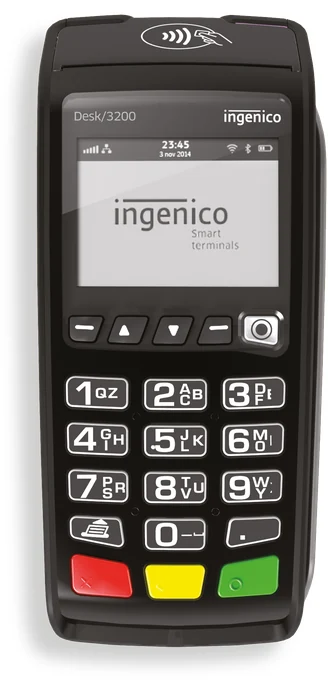
Bank card terminals · Terminals compatible with your till

Bank card terminals

Terminals compatible with your till

Send the total and receive the terminal response within the same till workflow.

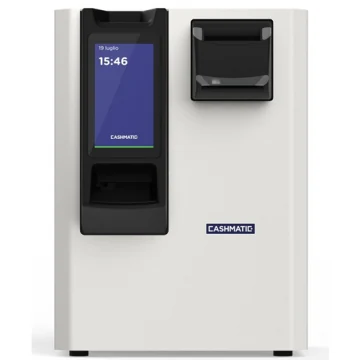
Cashmatic 1060 · SelfPay · automated cash handling

Cashmatic 1060

SelfPay · automated cash handling

The guest inserts notes and coins; the machine counts the cash and gives change.

01

Cards and wallets, through the POS

Guests choose a card, phone or smartwatch to pay through the configured terminal.

  • Apple Pay
  • Google Pay
  • Visa
  • Mastercard
  • American Express
  • JCB
  • UnionPay
  • Contactless

02

Meal vouchers, on the same bill

Record paper and electronic meal vouchers, the amount used and any remaining balance paid another way.

Examples of voucher issuers

  • Ticket Restaurant®Edenred
  • Pluxee
  • Day
  • Pellegrini
  • Repas

Voucher authorisation and reimbursement remain with the issuer’s terminal or service. RistoEasy records the corresponding payment.

Even when guests split the bill

Itemised splits, equal shares, mixed payments and Satispay recorded as a payment method.

Find the setup for your restaurant

Integrations depend on device model and configuration. Card and wallet availability depends on the restaurant’s POS and merchant agreement.

RISTOEASY

How it works

  1. 01

    Open a table

    Set menu and guest count, then follow incoming dining room orders.

  2. 02

    Prepare the bill

    Choose a full bill, separate items, shares or multiple payment methods.

  3. 03

    Close and check

    Follow the result, issue the required documents and review the history.

Frequently asked questions

Does it work with every payment terminal?

The terminal model, protocol and configuration must be checked. Sharing a brand name alone does not guarantee compatibility.

Do I have to use every feature?

Features and devices are configured to suit the restaurant. You do not need to use every module at once.